
Working from home has become more common than ever, making it essential to have a workspace that supports productivity and comfort. Whether you have a dedicated room or just a corner of your living area, organizing your home workspace can significantly improve your focus and efficiency throughout the day. Here are practical tips to help you create an environment that works for you.
Choose the Right Location
Find a Quiet Spot
Select a place in your home that is as free from distractions as possible. Ideally, the spot should have minimal foot traffic and be away from noisy appliances or televisions. If quiet areas are limited, consider adding noise-cancelling headphones or white noise machines to help maintain focus.
Utilize Natural Light
Natural light can boost mood and energy levels, so position your workstation near a window if possible. Avoid glare on your computer screen by placing your desk perpendicular to windows rather than directly in front or behind them.
Invest in Comfortable Furniture
Get a Supportive Chair
A comfortable, ergonomic chair is key to maintaining good posture and preventing back pain. Look for chairs with adjustable height and lumbar support to fit your needs.
Choose an Appropriate Desk
Pick a desk that fits your space and equipment but also leaves room to work comfortably. Consider desks with enough surface area for your monitor, keyboard, and any additional items like notebooks or planners.
Keep Your Space Organized
Declutter Regularly
A clutter-free workspace helps reduce stress and distractions. Regularly clear your desk of unnecessary papers, stationery, or other items you don’t use daily. Use storage boxes or drawers to keep small items out of sight but within reach.
Use Organizational Tools
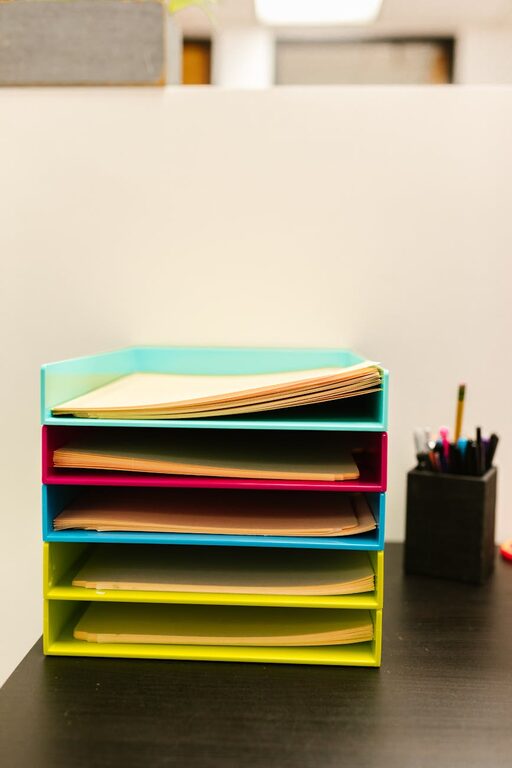
Incorporate items like desk organizers, file holders, and cable management solutions. Labeling files and arranging documents by categories helps you quickly find what you need without wasting time.
Set Up Effective Technology
Optimize Your Tech Setup
Make sure your computer, printer, and other devices are arranged ergonomically. Your monitor should be at eye level to reduce neck strain, and keyboards and mice should be positioned to keep your wrists straight.
Maintain a Strong Internet Connection
Reliable internet is crucial for remote work. If possible, use a wired connection for stability or invest in a quality Wi-Fi router. Keep charging cables organized to avoid tangling and interruptions.
Create a Workflow-Friendly Environment
Define Work Zones
If your space allows, separate areas for different tasks can help increase efficiency. For example, a computer desk for focused work and a side table for brainstorming or reading.
Use Task Lighting
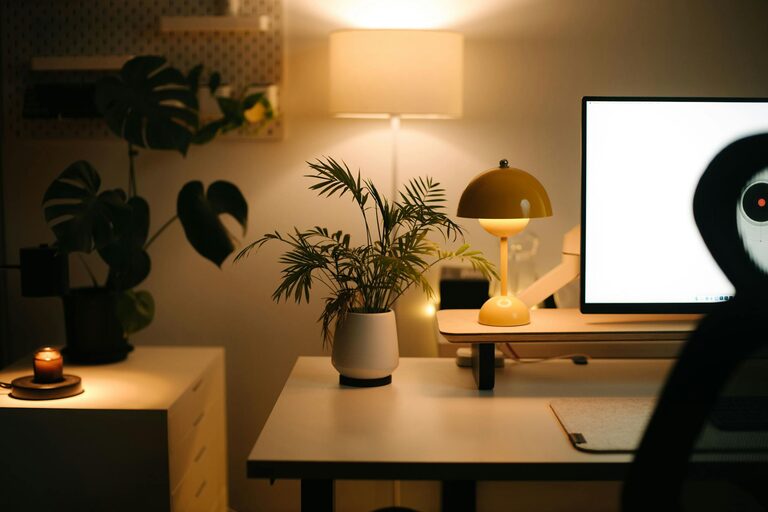
Desk lamps with adjustable brightness help reduce eye strain, especially if you work in the evening or in a dimly lit room. Choose bulbs that mimic daylight for the most comfortable lighting.
Personalize Your Workspace
Add Motivational Elements
Decorate with items that inspire you, such as artwork, plants, or motivational quotes. Plants can improve air quality and add a touch of calmness.
Maintain a Clean Routine
Set a daily or weekly schedule to tidy your workspace. A clean environment can invigorate your motivation and make it easier to focus on your tasks.
Manage Time Effectively
Use Planners or Digital Tools
Track your daily tasks and deadlines either with a physical planner or digital apps. Organizing your day helps minimize procrastination and enhances productivity.
Take Regular Breaks
Incorporate short breaks to stretch, hydrate, or rest your eyes. Techniques like the Pomodoro method can help maintain focus by breaking work into manageable intervals.
Final Thoughts
A productive home workspace doesn’t require a big budget or elaborate setup. By thoughtfully organizing your area to minimize distractions, increase comfort, and support your workflow, you can create a space that helps you do your best work from home. Regular adjustments and upkeep will keep your environment inviting and efficient as your needs evolve.