
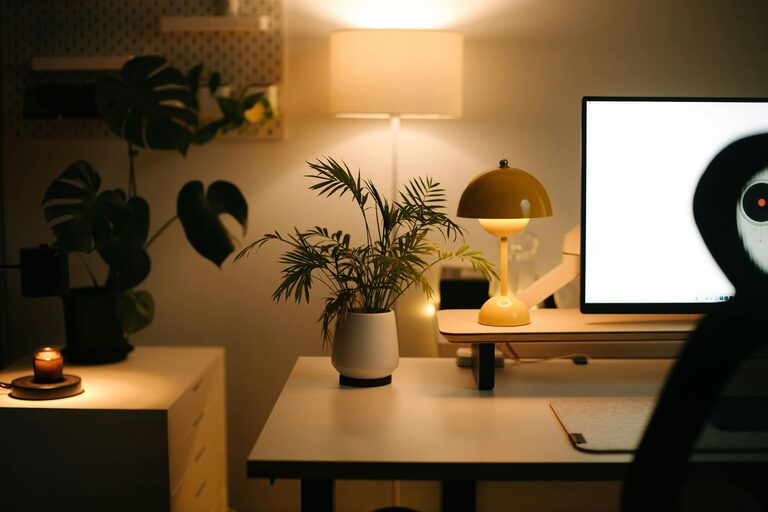
Creating a cozy and functional home workspace is essential for anyone who spends time working from home. A well-designed workspace can boost productivity, reduce stress, and make your workday more enjoyable. Whether you have a dedicated room or just a small corner, these tips will help you design a space that balances comfort and efficiency.
Choose the Right Location
Finding the perfect spot for your workspace is the first step. Ideally, pick a quiet area with minimal distractions. Natural light is a bonus, as it can improve mood and focus. If a separate room isn’t an option, consider using a part of your living room or bedroom, but try to set clear boundaries between work and relaxation zones.
Invest in Comfortable Seating
Since you’ll be spending long hours seated, investing in a good chair is crucial. Look for ergonomic chairs that support good posture and reduce strain on your back and neck. Adjustable chairs let you customize height and tilt to fit your body comfortably. Don’t forget to add a supportive cushion or footrest if needed.
Use a Desk that Fits Your Needs
The desk is the centerpiece of your workspace. Choose one that fits your room size and provides enough surface area to organize your essentials—such as your computer, notebooks, and any other tools you use frequently. If space is tight, compact or foldable desks can be a smart choice.
Optimize Lighting
Proper lighting reduces eye strain and keeps you alert. Combine natural and artificial lighting to suit different times of day. Position your desk near a window if possible, and use adjustable desk lamps to brighten your workspace when it’s dark. Choose bulbs with warm or neutral tones to create a cozy atmosphere without sacrificing visibility.
Organize with Storage Solutions
Keeping your workspace tidy helps clear your mind and boost efficiency. Use shelves, drawers, or containers to store office supplies and documents. Consider vertical storage options to save floor space. Labeling boxes or files can also make finding items quicker and easier.
Personalize Your Space
Add touches that make your workspace feel inviting and uniquely yours. This can include plants, artwork, or decorative items that inspire and calm you. But be mindful not to overcrowd your desk, which can feel distracting.
Manage Cables and Technology
Keep cords and cables organized using clips, sleeves, or cable boxes. This reduces clutter and prevents tangling. If possible, position your computer monitor at eye level to avoid neck strain, and invest in a quality keyboard and mouse to enhance comfort.
Create a Routine and Boundaries
Even the best workspace needs boundaries. Establish regular working hours and try to stick to them. Inform family members or housemates about your schedule to minimize interruptions during important tasks.
Maintain Good Air Quality and Temperature
Fresh air and comfortable temperature levels can improve concentration. If your workspace doesn’t have good ventilation, consider adding a small fan or air purifier. Adjust heating or cooling to a comfortable setting to avoid distractions caused by being too hot or cold.
Incorporate Break Areas Nearby
If space permits, have a small area close by for short breaks. A cozy chair or a standing desk can provide a change of scenery and posture, helping you stay refreshed and focused throughout the day.
—
Designing a home workspace that feels cozy and functional doesn’t have to be complicated or costly. By choosing the right location, investing in comfort, organizing efficiently, and adding a personal touch, you’ll create an environment that supports your productivity and well-being. Take the time to modify your setup as needed and enjoy a space that truly works for you.